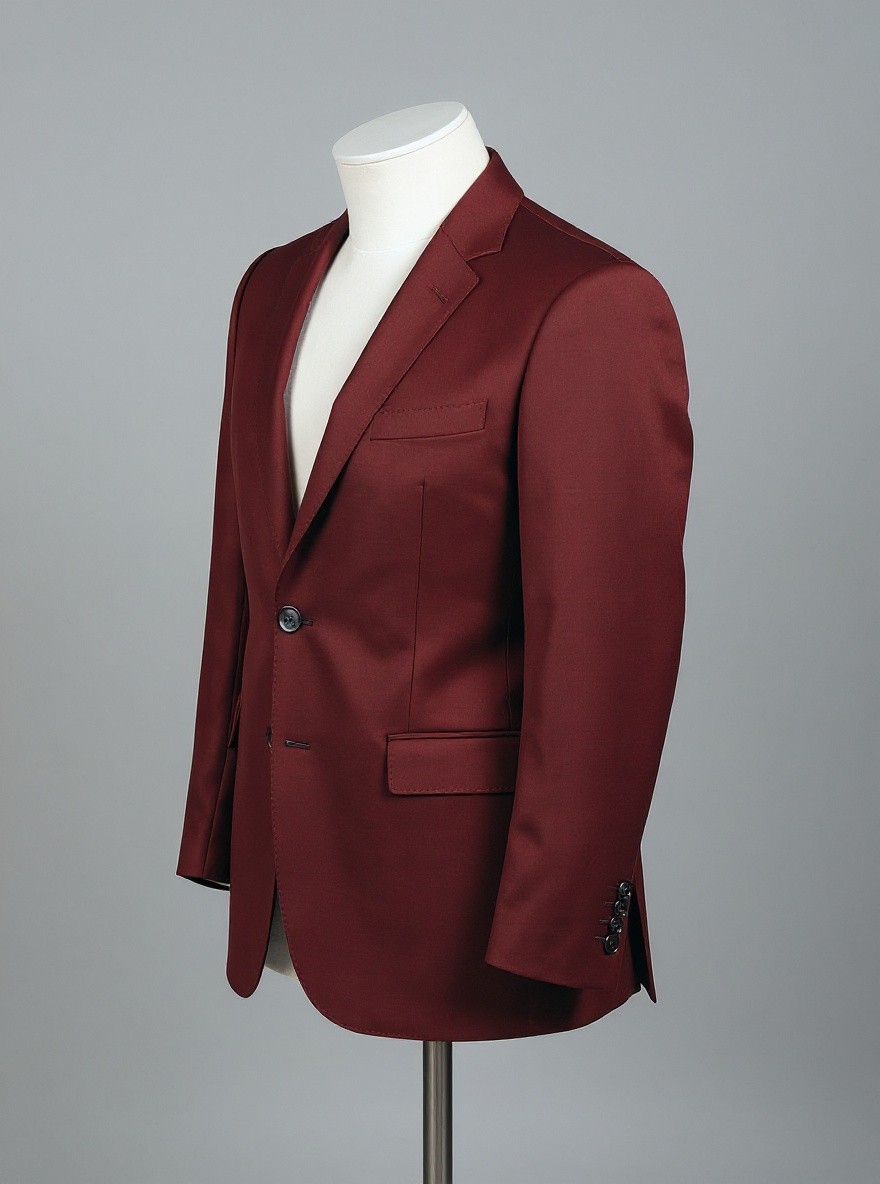
Change only the jacket fabric color from navy blue to warm burgundy. Preserve the exact jacket cut, lapels, seams, fabric weave, buttons, folds, mannequin, camera angle, framing, gray background, lighting, and shadows. Do not alter the white mannequin or add anything. No text.

Change only the jacket fabric color from navy blue to warm burgundy. Preserve the exact jacket cut, lapels, seams, fabric weave, buttons, folds, mannequin, camera angle, framing, gray background, lighting, and shadows. Do not alter the white mannequin or add anything. No text.

MODEL

kontext-max (public model)

TAKEN

Sunday, July 19, 2026

LICENSE

Free to use with backlink toPixelGenie AI

View all photos in: AI Image Recolor Before and After Examples

Related Photos

Change only the painted feature wall color from cool gray to soft terracotta. Preserve the exact wall boundaries, surface texture, cream sofa, wooden coffee table, green plant, decor, camera angle, framing, natural daylight, reflections, and shadows. Do not change furniture or add or remove anything. No text.
High-quality daylight interior photograph of a modern living room with one prominent cool-gray painted feature wall behind a cream sofa, wooden coffee table, and green plant, realistic wall texture and clean edges, balanced natural window light, no people, no text, no split screen
Clean studio fashion product photograph of a single tailored navy blue jacket on a matte torso mannequin, front three-quarter view, crisp lapels, visible fabric weave, natural folds and buttons, controlled neutral lighting, plain gray background, no person, no text, no split screen
Change only the armchair upholstery color from muted beige to deep forest green. Preserve the exact chair shape, seams, fabric texture, wooden legs, camera angle, framing, background, lighting, and shadows. Do not add or remove anything. No text.
Clean commercial product photograph of a single minimalist armchair upholstered in muted beige fabric, three-quarter front view in a simple neutral studio, realistic textile weave, soft controlled lighting, natural shadows, centered composition, no text, no split screen, no comparison panel

How to recreate this AI image

  1. Copy the complete prompt shown on this page.
  2. Open PixelGenie AI and choose kontext-max or the closest available image model.
  3. Paste the prompt, select the composition you want, and generate variations until the result fits your project.

This image is AI-generated. Prompt details and model information are included so you can study the result and build your own variation.

Create your own AI image

Create Your Personal AI Clone

Transform your photos into an AI-powered image generator

How It Works

Upload Photos

Upload 4-12 diverse photos of yourself

Quick Training

AI model training in 20-30 minutes

Create Endlessly

Generate unlimited AI photos

Included with Your Plan

Get 20 identity-accurate starter photos with every AI identity

📸
4x Profile Pictures

Perfect for social media

👔
4x Professional Headshots

For business & LinkedIn

💝
4x Dating Photos

Stand out on dating apps

👗
4x Outfit Ideas

Fashion & style concepts

📱
4x Social Media Posts

Engaging content ready

Delivery within 1 hour
Manual generation available without subscription

Upload 4-12 photos to get started